
Smarter Time & Project
Management for Teams
Create projects, assign tasks, track work hours, manage absences, and approve time entries — all in one powerful platform.
Checks breaks and the 10-hour daily limit, keeps a change history and exports ArbZG-ready records
Organize Projects Effortlessly
Managers and Admins can create projects, assign employees, set color labels, allow task creation by team members, and enable/disable approval of time entries.
Key Project Features:
Smart Task Tracking
Tasks can be created by Admins, Managers, or authorized employees. Tasks include details like description, project link, assignees, duration, start/end dates, and location.
Task Status Workflow
Track Every Hour Accurately
Employees can start/stop a timer or add manual time entries. All entries remain in pending state until Manager/Admin approves, ensuring accurate hour counting.
German Labor Law Compliance
Checks breaks and the 10-hour daily limit, keeps a change history and exports ArbZG-ready records
Break Tracking
Automatic validation of mandatory breaks: 30 minutes after 6 hours, 45 minutes after 9 hours work time
Overtime Management
Track and manage overtime hours with automatic 10-hour daily limit validation and compensation tracking
Audit Trail
Change history with IP tracking and timestamps for every modification to time entries
Handle Leave Requests Easily
Employees can request different leave types with automatic approval rules. Manager/Admin requests are auto-approved, while employee requests need manager approval.
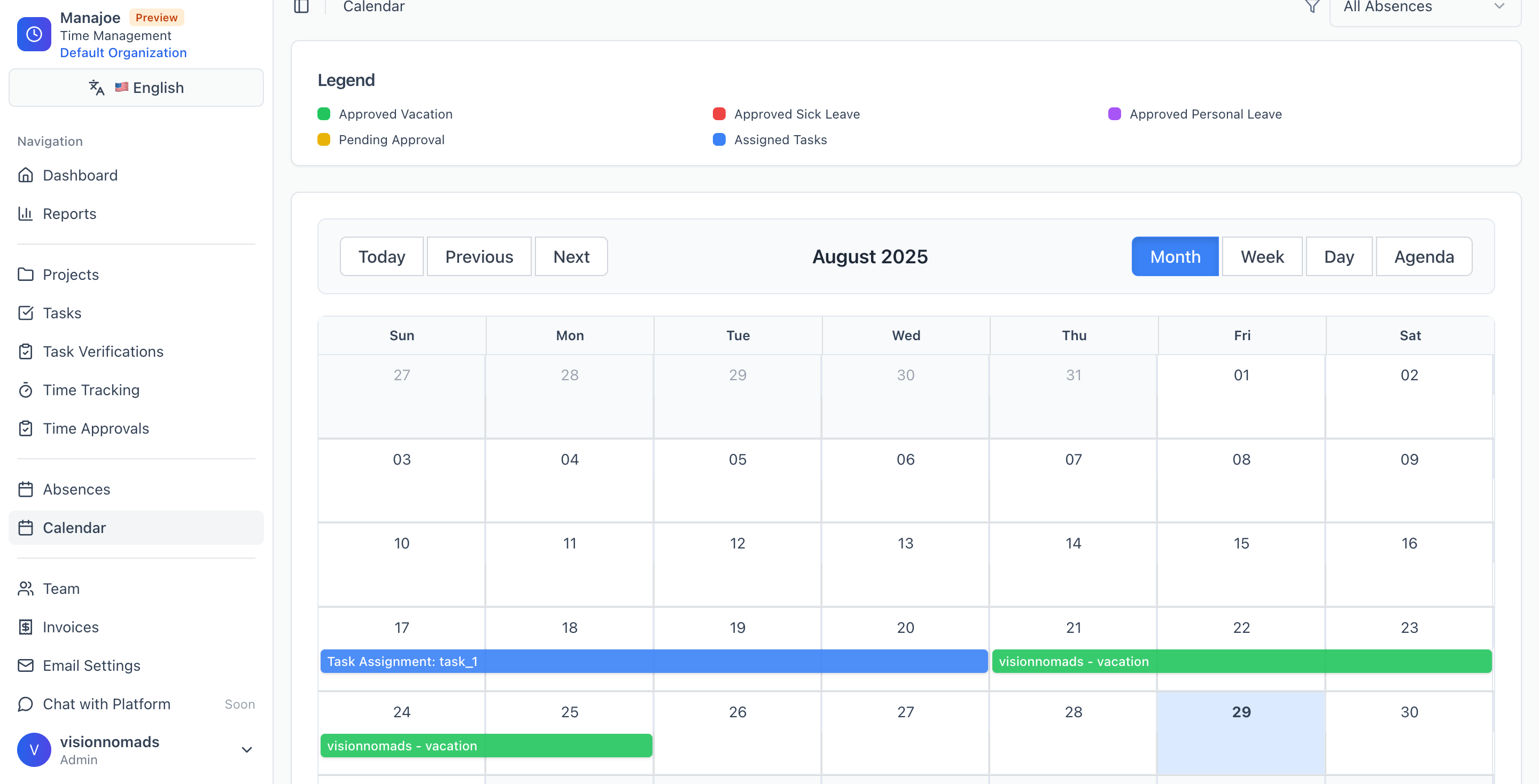
One Calendar for Everything
Visualize tasks and absences in a single color-coded calendar interface. Get a complete overview of your team's schedule at a glance.
Project Tasks
Approved Absences
Pending Requests
Stay Updated Instantly
Configurable email notifications keep everyone informed. Admins can set SMTP/email settings for reliable delivery.
Task Assignment
New tasks assigned to team members
Time Entry Approved
Confirmation of approved work hours
Task Status Change
Updates on task progress
Absence Request
Leave request submissions
Absence Approved
Leave request approvals
Built for Teams
Create your own organisation and invite employees with a unique code for complete control.
Use an invitation code from your admin to join an existing organisation.
Create your own tenant with full admin control and invite team members.
Why Choose Manajoe?
Everything you need to manage projects, track time, and coordinate teams in one powerful, easy-to-use platform.
See Manajoe in Action
From project creation to approved time entries — everything in one place. Experience the complete workflow with our intuitive interface.
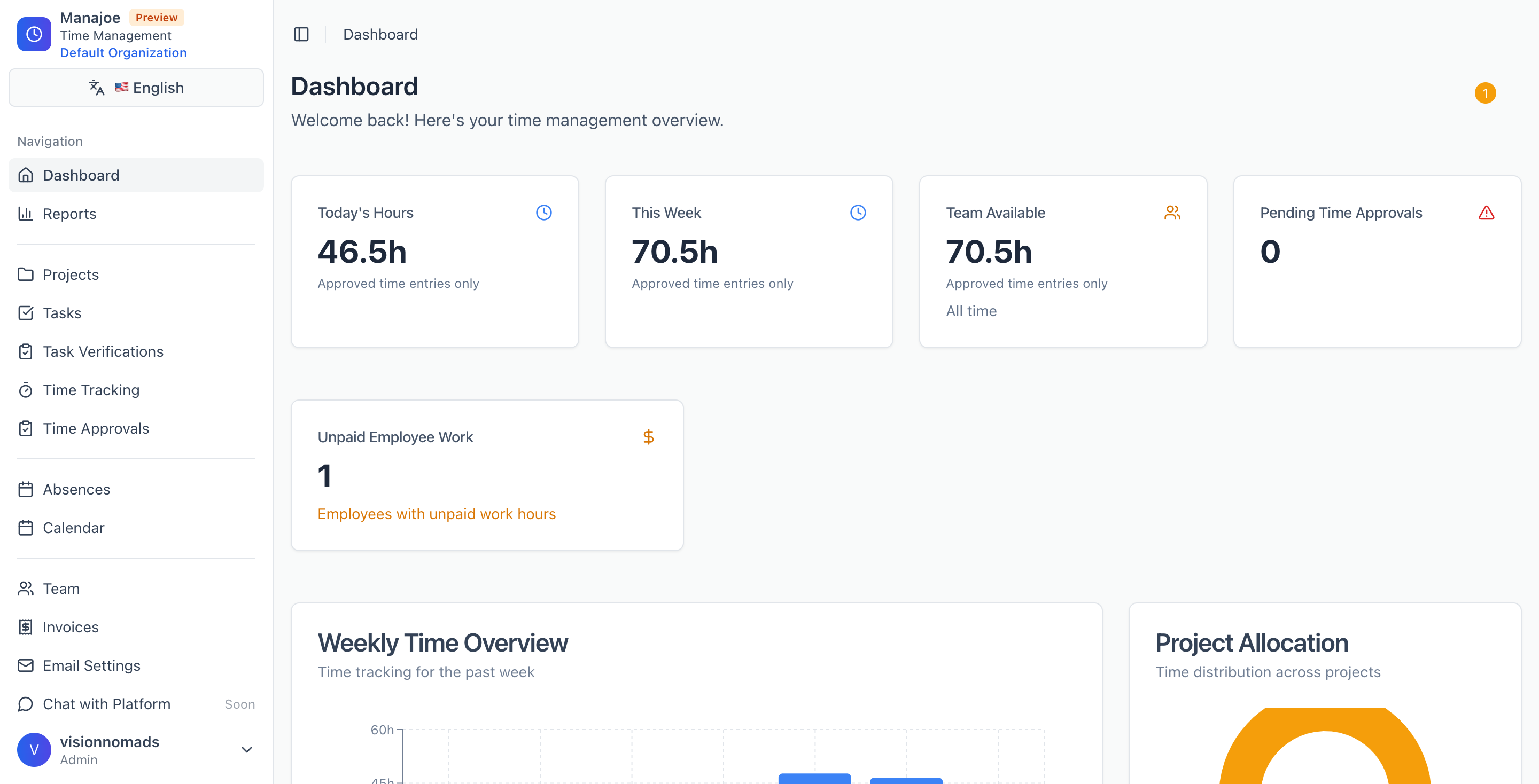
Dashboard Overview
Get insights into team productivity and project progress at a glance.
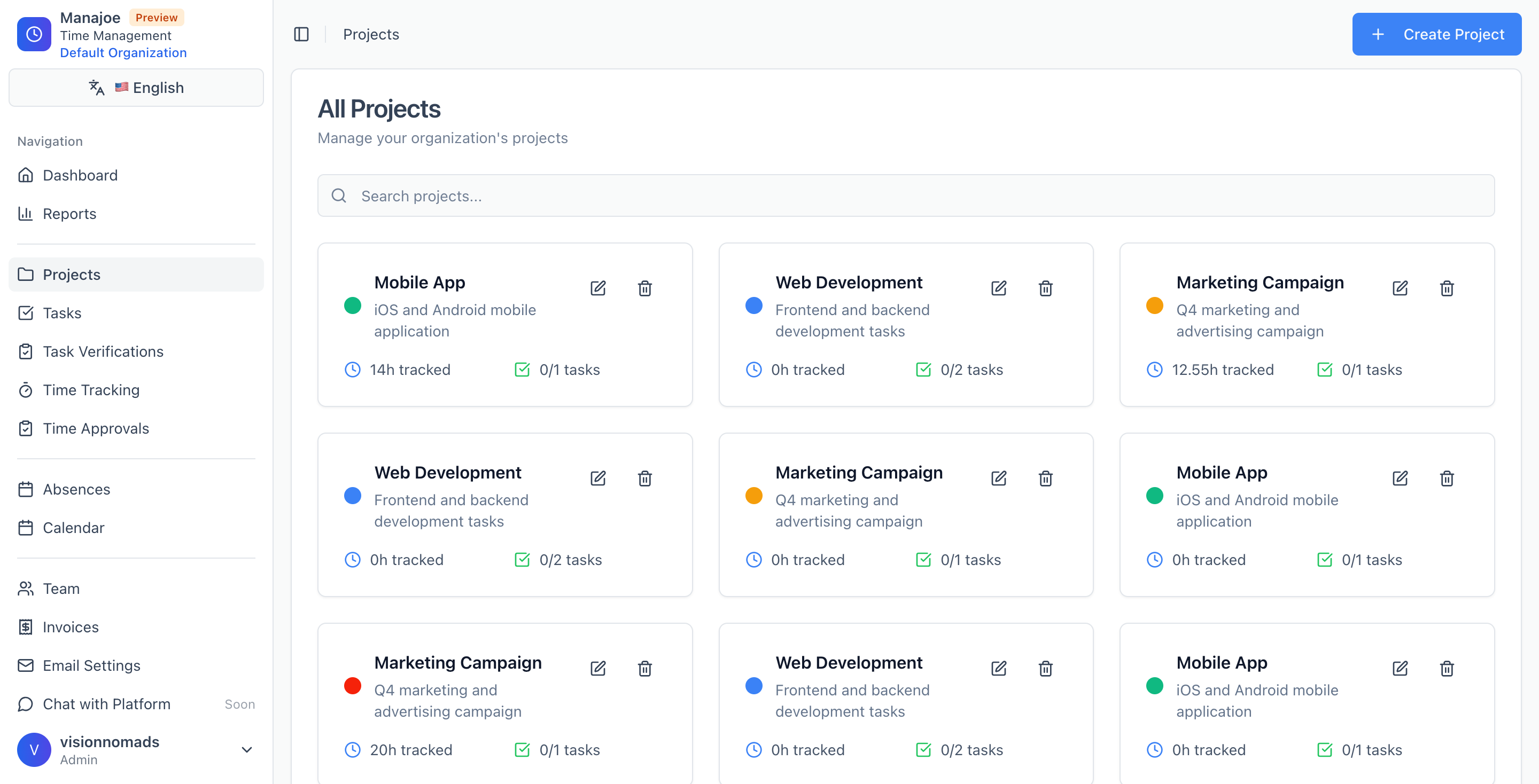
Project Creation
Create and manage projects with intuitive color coding and team assignments.
Calendar View
Visualize tasks and absences in a unified, color-coded calendar interface.
Ready to transform your team's productivity?
Get started with Manajoe and see how it can streamline your workflow. Contact our sales team to discuss custom solutions for your organization.